Most cyberattacks don’t start with some sophisticated exploit. They start with something much simpler: a password.
And in many cases, it’s not even hidden—it’s something users have been reusing for years.
Not even a clever one either. Usually just a weak, reused, or slightly modified password that’s easy to guess. Even after years of enforcing complexity rules, this is still a problem. People follow the rules on paper, but in practice, they fall back to predictable habits.
And that’s exactly what attackers rely on.
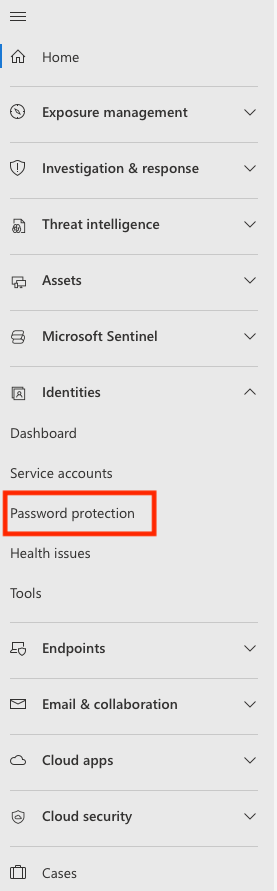
Microsoft is trying to address this in a more practical way with Password Protection, available in Microsoft Defender for Identity and Microsoft Entra. The idea is simple: stop weak passwords before they ever become a risk.
Why Traditional Password Policies Fall Short
If you’ve worked in IT or security, you’ve probably seen the usual password rules—minimum length, uppercase letters, numbers, symbols, expiration dates.
On paper, they look solid. In reality, not so much.
The problem is, they don’t really stop bad passwords.
Users adapt—predictably. I’ve seen environments where people keep the same base password for years and just rotate a number or add a “!” at the end. Technically, it meets the requirements. In practice, it’s still trivial to guess.
So while the policy looks strong, the actual security isn’t.
A More Realistic Approach to Passwords
Instead of focusing on how a password looks, Microsoft’s approach focuses on how it behaves in the real world.
Password Protection checks passwords against a constantly updated list of commonly used and compromised passwords—based on real attack data. So it’s grounded in what attackers are actually using, not just theoretical rules.
And it doesn’t stop at exact matches.
Even if someone tries to be clever—adding numbers, swapping letters, or making small variations—the system can still recognize the pattern and block it. And this is exactly where most traditional policies fall apart—those small tweaks are how users get around them.
Covering the Hybrid Reality
Most organizations aren’t fully cloud-based. Active Directory is still very much alive.
That creates a blind spot—one I still run into quite often. A weak password set on-prem can sync to the cloud, and suddenly you’ve got the same problem everywhere.
Password Protection helps close that gap by applying the same checks everywhere—whether the password is created in the cloud or on-premises.
So instead of having different levels of protection depending on where the password lives, you get consistent enforcement.
Adding Context That Actually Matters
There’s another piece people often overlook: context.
Users tend to include familiar words in their passwords—company names, project names, internal tools. It makes the password easier to remember, sure—but also much easier to guess.
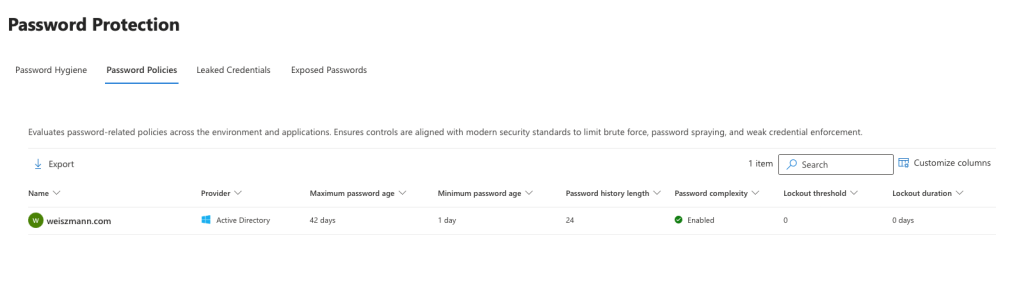
That’s why Microsoft allows organizations to define their own banned password lists.
So you’re not just relying on global threat data—you’re also accounting for what’s specific to your environment. That combination makes a real difference.
It’s Not Just About Blocking—It’s About Seeing
One thing I like about this approach is that it’s not just “set it and forget it.”
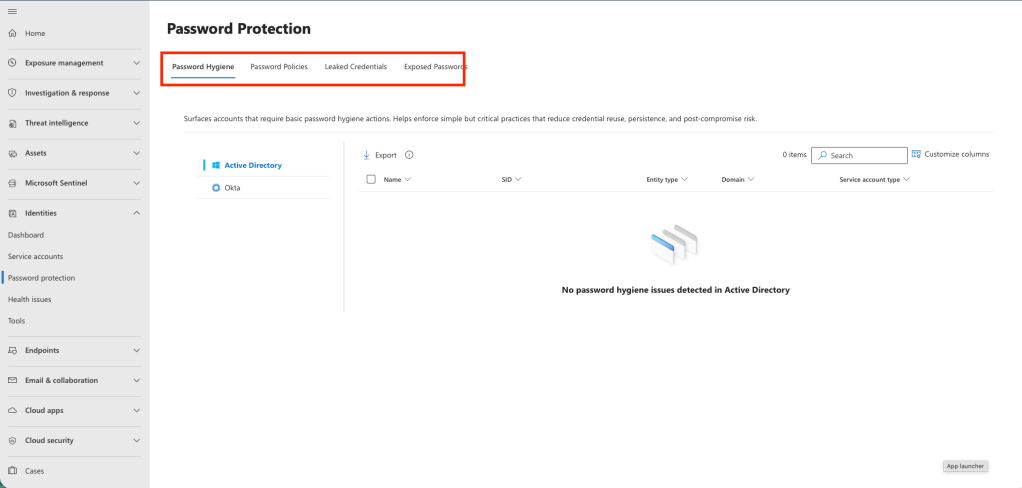
Through the Microsoft Defender portal, you actually get visibility into what’s happening:
- how users are choosing passwords
- where weak patterns still exist
- whether credentials have already been exposed
That kind of insight is what lets you fix problems early—before they turn into incidents.s early, instead of finding out after something goes wrong.
Rolling It Out Without Surprises
Another practical aspect is deployment.
You don’t have to flip a switch and start blocking users immediately. There’s an audit mode where the system evaluates passwords without enforcing anything. This gives you a chance to see the impact and understand user behavior first.
Once you’re comfortable, you can move to enforcement mode—where weak passwords are actually rejected.
It’s a much smoother way to introduce stronger controls without breaking workflows overnight.
Part of a Bigger Security Picture
Of course, this isn’t a silver bullet.
Password Protection works best alongside other controls. Tools like Microsoft Defender for Identity help detect suspicious activity, and multi-factor authentication adds another layer of defense.
But stopping weak passwords at the source removes one of the easiest entry points attackers rely on.
And in many cases, that’s exactly where attacks begin.
 weiszmann.blog